
FORTLINE Controls
Documented PC keys, honest notes on Tab, and how mobile and console differ from the keyboard map.
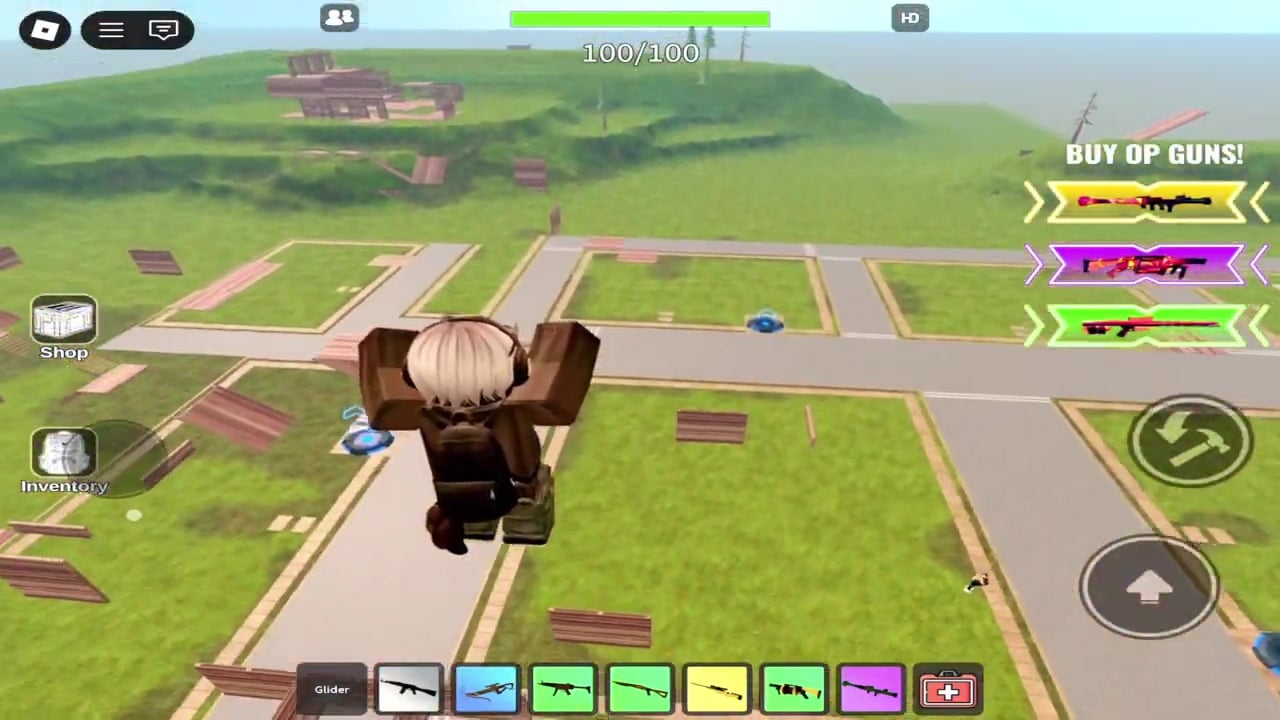
FORTLINE is a Roblox shooter with a small, specific PC control set that Sportskeeda recorded in 2024: Q / Z / C for build mode, left mouse to shoot or place, right mouse to aim down sights, V to unlock the mouse for UI, and number keys for weapons or panels. Everything else you think you know from Fortnite, Phantom Forces, or another FORTLINE-named clone should be treated as unconfirmed until you press it in this place. This page is that conservative map. Use Getting Started if you still need the first-match order, and How to Build if you already know the keys and need placement habits.
PC controls that are actually documented
Sportskeeda’s FORTLINE write-up is the public source for the following. If a YouTube overlay disagrees, trust what you can reproduce in-game, then this table.
| Action | Key | Notes |
|---|---|---|
| Enter build mode | Q, Z, or C | All three are documented entry keys |
| Place a panel | Left mouse button | Only while build mode is on |
| Leave build mode / return to guns | Q | You cannot shoot until you toggle off |
| Fire | Left mouse button | Only while build mode is off |
| Aim down sights | Right mouse button | Reticle stays visible even without a gun feel |
| Unlock mouse / UI cursor | V | Use this when you cannot click menus |
| Select weapon | Number keys | While not in build mode |
| Select panel type | Number keys | Eight panel types while in build mode |
Default guns on those number keys are the crossbow, shotgun, assault rifle, SMG, and sniper rifle. Extra gamepass weapons occupy the kit if you own them. The number row does double duty; that is why the Q toggle is part of combat, not a building minigame.
Movement is standard Roblox: WASD to walk, mouse to look, Space to jump on a typical avatar. Sportskeeda did not publish a unique FORTLINE movement table. Do not invent a slide-cancel or edit-bind just because Fortnite uses it.
Tab, inventory, and the leaderboard
Several related FORTLINE-style Roblox experiences bind Tab to inventory, the leaderboard, or both. This wiki will not pretend Sportskeeda listed Tab for this FORTLINE place. Press Tab once in your own session. If a board or bag opens, use it. If nothing happens, open the Roblox menu and look for an on-screen leaderboard button, or wait until you die and read names the hard way.
The leaderboard matters more here than in a storm royale because matches do not end on a last kill. How to Play explains that FFA loop. You want a way to see who is farming the lobby. Tab is the usual suspect, not a documented guarantee.
Rotate, crouch, sprint, reload
Some FORTLINE-style experiences use R to rotate a build piece, Shift to sprint, C to crouch, and R to reload when not building. Two of those collide with documented FORTLINE keys: C is a build-mode entry key, and R is unverified. If you crouch with C you may enter build mode instead. If you reload with R you may rotate a piece in a clone, or do nothing here.
Rule: confirm crouch, sprint, reload, and rotate in this game’s settings or HUD prompts. This page will not print a fake full keybind sheet to look complete. The documented combat-and-build set is already enough to play; see How to Build for the R-rotate caveat written the same way.
V is easy to forget. When a shop, group prompt, or settings panel will not take clicks, you are in locked look mode. Tap V, click, tap V again to go back to camera. Beginners report “broken UI” when they simply never unlocked the cursor.
Mobile
On phones and tablets, FORTLINE uses on-screen buttons instead of Q, Z, C, and V. Expect a fire button, an ADS or aim zone, a build toggle, panel or weapon slots, and a look stick. Exact icon art changes with Roblox UI scale, so this page does not screenshot a layout that will be wrong on your device.
Practical mobile notes:
- Find the build toggle before your first fight. If you cannot place a wall, you are playing an open-field shooter against PC builders.
- Watch for a cursor / UI lock control that fills the job V does on PC.
- Thumb the gun slots the same way the number row works: weapons when you are not building, pieces when you are.
- Lower graphics if the ten-player chaos tanks the frame rate; build toggling on a 15 FPS drop is how panic walls miss.
The loop on mobile is identical: drop, fight, respawn. Only the fingers change. Getting Started still applies.
Console
The Roblox listing tags FORTLINE with full console support. That is a platform claim, not a published glyph list. On a gamepad you should expect stick look, a trigger to fire, a left trigger or similar for ADS, a face button for jump, and a dedicated build toggle with a bumper or face button to place. Do not copy Fortnite’s builder pro layout onto this game and assume Q became B.
If a bind feels empty, open Roblox’s in-experience settings and look for keybinds. Many FORTLINE-style places say binds are changeable. This wiki will update glyphs when a primary source lists them; until then, treat console as supported and self-mapped.
Cross-play is online. A controller player sits in the same ten-person FFA as a phone and a mouse. That is why PC builders feel fast: they are not in a console-only lobby.
Settings you should actually touch
Before you chase a custom Fortnite overlay:
- Confirm Q still toggles you out of build mode. If you rebound Q and cannot shoot, that is on the rebind.
- Confirm V still unlocks UI.
- Confirm number keys still swap guns outside build mode.
- Raise sensitivity until a 180 to place a panic wall is possible, then stop. FORTLINE gunfights are close; 360 edit flicks are not the skill ceiling.
- Leave Robux shops closed until you can hit the documented keys without looking. Passes do not fix a missed Q-out.
After the keys stick
Keys are not tactics. Once Q, V, and the number row are boring, spend time on How to Build for walls and ramps, then How to Win for ranges and passes. If a patch remaps a documented key, check Updates and the in-game prompt first. This table is a snapshot of what we can source, not a promise that every clone named FORTLINE shares it.
Frequently Asked Questions
Quick answers to the most common FORTLINE questions.
What keys does Sportskeeda actually document for FORTLINE?
Q, Z, or C for build mode, left-click to shoot or place, right-click to ADS, V to unlock the mouse, and number keys for weapons or panels.
Does Tab open inventory or the leaderboard?
Related FORTLINE-style experiences often use Tab for that, but it is not in the Sportskeeda control list. Press it in your session and confirm.
Why does C not crouch?
C is a documented build-mode entry key. Crouch may live on another bind or in settings. Test it before you depend on a head-glitch crouch.
How do I click the shop or other UI?
Press V to unlock the cursor, click, then press V again to return to camera look.
Are mobile and console supported?
Yes. The game is tagged for PC, mobile, and console on Roblox, with listing text that claims full console support. Use on-screen buttons on mobile; confirm glyphs on a gamepad.
Where should I go after learning the keys?
Return to Getting Started for the first-session plan, or open How to Build to place panels under fire.