
How to Build in FORTLINE
Toggle build mode, place eight panel types, and use walls, ramps, and boxes under fire.
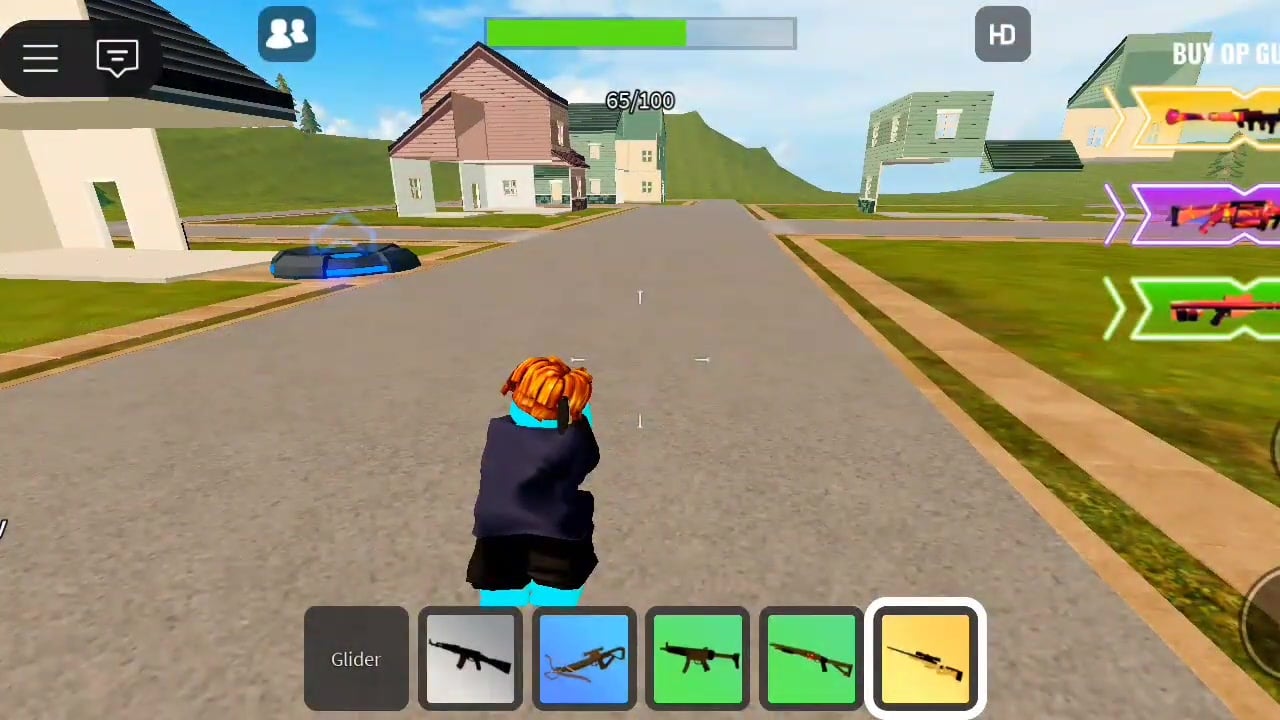
Build mode is the mechanic that makes FORTLINE more than a ten-player deathmatch with a glider. Panels buy seconds. Seconds let you ADS, swap to the shotgun, or leave an angle that was already lost. This page is the deep build guide: keys, the eight-panel kit, when to wall, when to ramp, when to box, and how to panic-build without trapping yourself. Pair it with Controls for the rest of the keyboard and with How to Win for when a wall should become a peek.
If you have not toggled build in a live fight yet, skim Getting Started so you know you cannot shoot until you leave build mode. That single rule causes more beginner deaths than bad aim.
Entering and leaving build mode
On PC, Q, Z, or C enters build mode. Sportskeeda documents all three as valid entry keys. Once you are in build mode you cannot fire. Place with the left mouse button. Leave build mode with Q to shoot again. Make the muscle memory a three-beat: Q (or Z/C) → left-click panel → Q → left-click gun.
If you stay in build mode, you will watch someone walk up and delete you while you hold a ghost piece. If you never enter build mode, you will lose every open-field spray. The toggle is the skill. The architecture is optional.
Number keys select among eight panel types while you are in build mode. The same number row selects weapons when you are not in build mode. That dual use is why the Q toggle has to be clean. Hitting 3 in build mode is not the same as hitting 3 for the rifle.
Some FORTLINE-style experiences use R to rotate a piece. Confirm rotation in this game’s settings or on-screen prompts before you depend on it. Do not assume Fortnite’s rotate is bound, and do not assume every Roblox clone shares the same R. If a piece faces the wrong way, back off, re-toggle, and place again rather than inventing a bind you have not verified.
What panels actually do
Each panel takes a number of hits, then breaks. That is the entire durability model you can plan around. A wall is a timer. It is not a raid bunker and it is not a permanent house. Shoot someone who is hiding too long and the cover will fail. Hide too long yourself and they will break in.
Because durability is finite:
- Place cover between you and the gun, not a full palace around your spawn.
- Replace a cracking wall instead of peeking the hole.
- Do not invest six pieces in a stack if one wall and a jump would have moved you off the angle.
- High ground still matters after the wall dies, because height is not HP; it is the angle.
You are not farming wood, brick, and metal from the environment. The kit is the eight panels. Spend attention on placement, not on a material counter that this mode does not center on.
When to wall
A wall is the panic button and the default answer. Use it when:
- The first bullet of a spray hits you in the open.
- You need a second to swap from sniper to shotgun.
- You are reviving your brain after a respawn and the same player is still holding the lane.
- You want to break line of sight so a sniper has to relocate.
Place the wall on the side the damage came from, not on a random compass direction. Then leave build mode immediately. A wall you never peek from is only useful if you are already rotating behind it. A wall you ADS from is a fighting piece.
Cover-fire sequence: take a tag → wall → Q out → ADS → two to four shots → Q in → replace if the panel is melting → reposition. That is FORTLINE gunplay. Standing in the open because “I have Double Health” is how Double Health owners still die.
When to ramp
Ramps (and ramp-like panels in the eight-type set) exist to steal height. Use them when:
- Someone is on a roof and your rifle fights their head hitbox.
- You landed in a pit or stairwell and the lobby is raining shots from above.
- You need a quick peek over a wall you just placed instead of walking around it.
Do not ramp into the sky in the middle of four sightlines. A naked ramp is a highlight for snipers. Ramp behind a wall, or ramp onto existing geometry (a house, a crate, a ridge) so the piece is an extension, not a billboard. If Double Jump is in your gamepasses, you may skip a ramp for a jump-peek; that pass is convenience, not a replacement for a piece when bullets are already incoming.
When to box
A box is four walls (and a roof if you have the panel and the time) to reset a fight. Box when:
- Two players are spraying you and a single wall only covers one.
- You need to reload, swap, or simply stop the bleed for two seconds.
- You landed in a bad pocket and need a hut to decide whether to swing or leave.
Leave a door-sized gap or be ready to break your own piece, because a full box with no exit is a coffin when the panels start popping. FORTLINE panels do not last a full Fortnite box fight. Crack one wall on purpose toward the safer side and leave. Boxing every gunfight will also make you late to every respawn fight; use it as a reset, not as a lifestyle.
High ground, cover-fire, and panic walls
High ground is the quiet win condition in a ten-player arena. People respawn and run the same lanes. If you hold a roof with a wall on the stair and a rifle for mid-range, you farm the board. If you hold a roof with no wall, the first SMG climb deletes you. Build the stair cut, then play the rifle. That pairing is also the core of How to Win.
Cover-fire is shooting with a panel, not instead of one. You are not a stationary turret. Place, shoot, replace, move. Panic walls are the one-piece version of that habit: damage comes in, wall goes down, you live long enough to choose shotgun or disengage. Practice panic walls in a live server. Creative-mode muscle memory from other games will not transfer until Q-out is automatic.
A short drill you can run after any respawn: walk into the open on purpose, eat one shot, wall, Q-out, fire, relocate. Do it until the sequence is faster than your flinch. Then stop feeding and go play for the board.
Build mode on mobile and console
Mobile uses on-screen buttons for the same toggle-and-place idea. Look for a build control on the HUD rather than a keyboard Q. Console listings for FORTLINE claim full controller support; expect a face-button toggle and a trigger to place, but confirm glyphs in your own HUD because Roblox clones do not all share one controller map. The Controls page stays conservative about undocumented glyphs.
After you can place under fire
Building is not the whole game. The loop is still drop, fight, respawn, as How to Play describes. Once a wall is cheap, spend your attention on ranges and passes. Come back here when you notice you are dying in the open again; that almost always means the Q toggle slipped, not that the shotgun “randomly” beat you.
Frequently Asked Questions
Quick answers to the most common FORTLINE questions.
How do I enter build mode in FORTLINE?
On PC press Q, Z, or C. Left-click places a panel. Press Q to leave build mode before you try to shoot.
How many panel types are there?
Eight. Select them with the number keys while build mode is on. The same keys select weapons when build mode is off.
Can I rotate pieces with R?
Some FORTLINE-style experiences bind R to rotate. Confirm it in this game's settings or HUD; do not assume it works until you see it.
Should I always box in a gunfight?
No. Panic walls and a short ramp to height win more FORTLINE fights. Box to reset, then leave before the panels break.
Why can I not shoot after I build?
Build mode blocks shooting until you toggle it off with Q. That is documented behavior, not a bug.
Where do I learn when building should win the fight?
Use this page for placement, Controls for keys, and How to Win for high ground and weapon ranges.